For moms ready to start, launch or grow a business in 2027
Turn Claude or ChatGPT into your business strategist and launch writer.
Business Brain Builder turns Claude or ChatGPT into a business strategist that knows you. Nine guided sessions interview you and save 9 documents about your weekly hours, strengths, niche, dream client, offer, price, voice and launch dates. Then 18 skills and tools use those documents to help with everything from social media plans and posts to launch emails, freebies, new products and more.
See how it works ↓Step 1 · Download and set upHow it works.
One download, about 10 minutes of setup, and where everything goes.
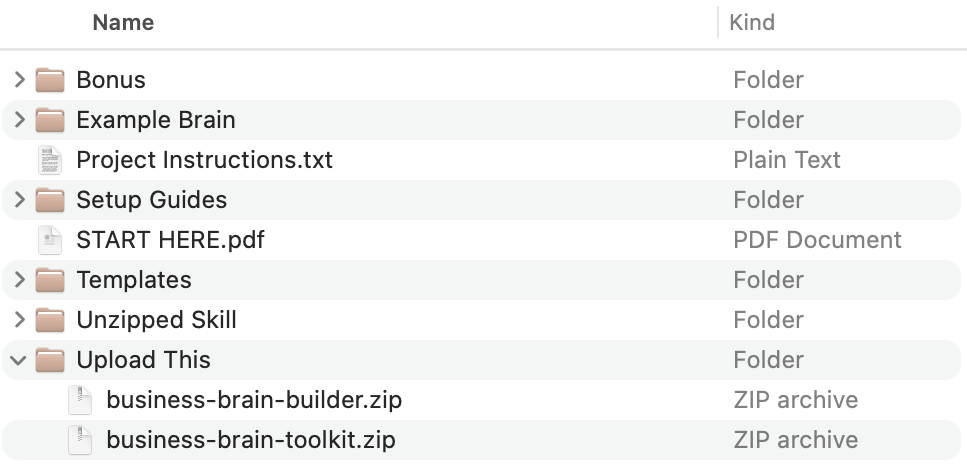
After you pay, you download one file, business-brain-builder.zip. Double-click it (on Windows, right-click it and choose Extract All) and it opens into a folder called Business Brain Builder.

What each one is
Use these to set up
- START HERE.pdf: Read this first.
- Setup Guides: Every click, for Claude or ChatGPT.
- Project Instructions.txt: Paste into your project.
- Upload This: Two ZIP files with all 9 sessions and 18 skills and tools. Add them to your AI.
Extras
- Example Brain: A finished example to look at.
- Templates: Blank copies of every document.
- Bonus: 100 Ways to Use Your Business Brain (PDF).
- Unzipped Skill: Backup copies, only if an upload fails.
Set up in about 10 minutes
- 01
Open START HERE.pdf.
Then open the setup guide for Claude or ChatGPT. It shows every click.
- 02
Create your project.
Make a project called My Business Brain and paste in Project Instructions.txt. It tells your AI to use your Business Brain sessions, tools and documents.
- 03
Add your Business Brain files.
Add both ZIP files from the Upload This folder and leave them zipped. Together they hold all 9 sessions and all 18 skills and tools, each with its own instructions. In Claude: Plugins, then Add, then Upload plugin. In ChatGPT: your project's Sources, then Add sources, then Upload.
Step 2 · About 4 hours, at your own paceBuild your Business Brain.
Nine in-depth sessions, one question at a time, ending with your business plan.
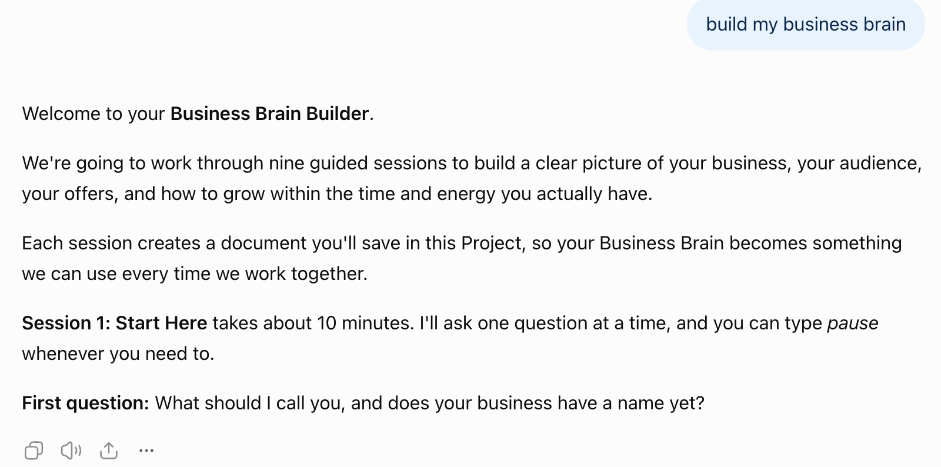
Open a new chat in your project and type "build my business brain". It starts with a short welcome and one question, and builds your plan from your answers.
How the sessions work
- Nine in-depth sessions, about 4 hours in all. Go at your own pace, or finish all of them within 30 days if you want to launch sooner.
- After each session it shows your progress, so you always know how many are left. Type "progress" anytime.
- Each session ends with a document you save in your project. That's how your AI remembers your business.
- Type "pause" whenever you need to stop. You get a note so you can pick up where you left off.
- When Session 8 is done, you get your whole business on two printable pages and your next steps. After that, ask it anything about your business.
What each session gives you
Before it suggests anything, the interview asks about your weekly hours, work history and income goal. It scores each niche idea out of 25, shows how many sales your price needs each month, and checks every launch week against your hours. Each session saves one document:
- 01My Roadmap10 to 15 min
Where you're starting (no idea yet, an idea, or already selling), what you want, and which sessions to do next.
- 02Life & Capacity Map20 to 30 min
Your weekly time blocks, energy, money needs, non-negotiables and the rules every plan has to follow.
- 03Story & Strengths40 to 50 min
Your work background, skills, what people already ask you about, your story, and your Business Snapshot: a working title and a clear first business you could run.
- 04Niche Decision20 to 30 min
Who you help and with what, every option you considered with its score, and 2 or 3 ways to check demand this week.
- 05Dream Client25 to 30 min
The one person you're selling to: the moment she needs help, what she's tried, her words, and what stops her from buying.
- 06Offer & Pricing30 min
One offer, its price, the sales you need each month to reach your income goal, and answers to buyer objections.
- 07Voice Guide20 to 25 min
Words you use, words you never use, and lines from your real writing, so your launch posts, emails and sales page sound like you.
- 08Launch Plan30 to 40 min
Your launch dates, one main platform, a week-by-week task list with the hours for each week, a list of launch emails, and your business plan PDF: your whole business on two printable pages.
- 09Wins & Lessons Log5 to 15 min, anytime
Wins, testimonials, lessons and launch results. Type "update my brain" to add to it or change any document.
Step 3 · Whenever you're readyUse your toolkit.
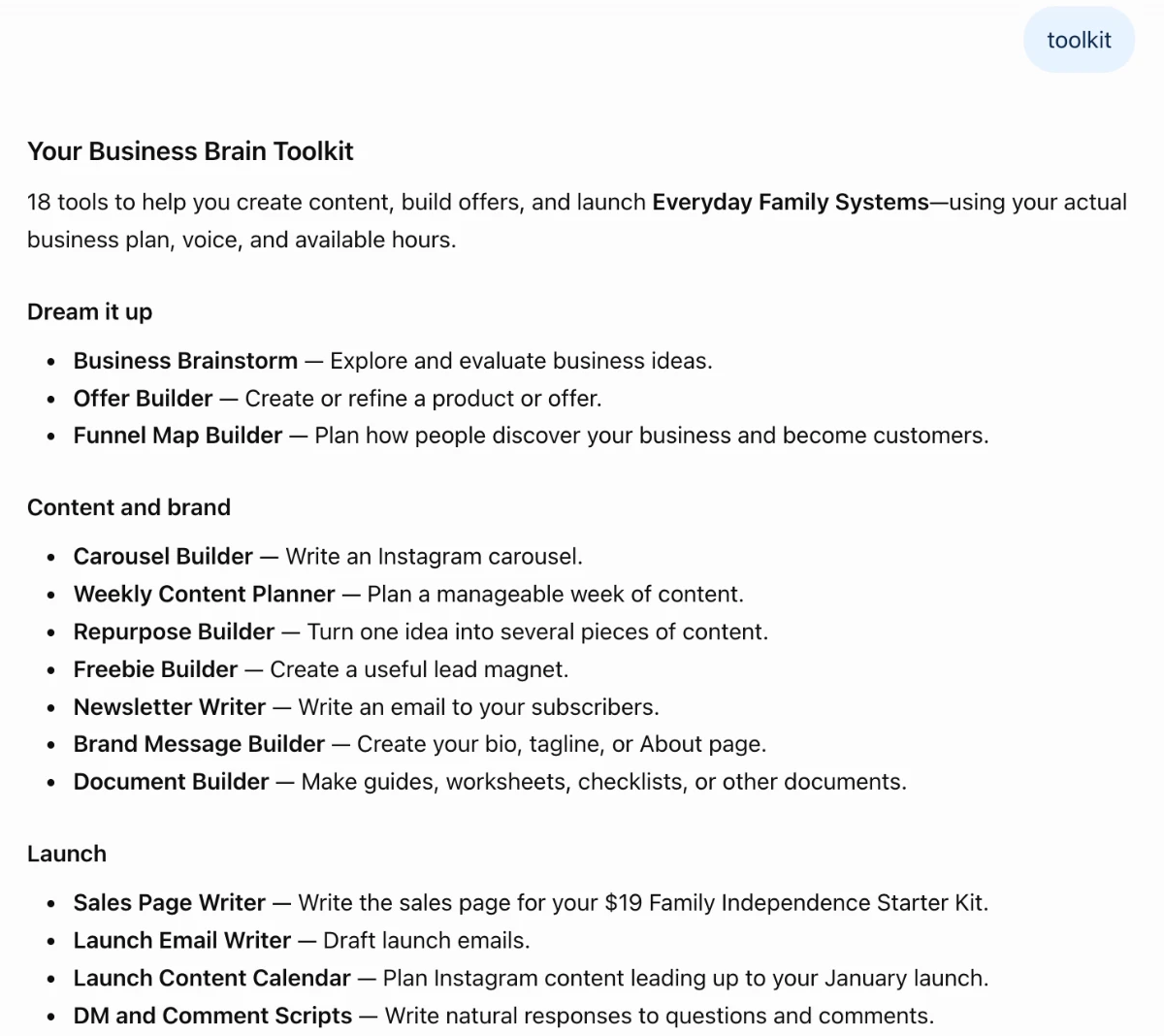
18 skills and tools for social media plans and posts, launch emails, freebies, new products and more.
Ask for what you need in a chat in your project, like "write my launch emails" or "plan my week", or type "toolkit" to see the list. Each tool reads your documents first, so drafts use your offer name, price, launch dates and voice. You don't need to finish every session first.
Dream it up
Business Brainstorm
20 or more business ideas from your answers, sorted, with a shortlist of 3 to 5.
Content and brand
Carousel Builder
Slide text, a caption and a visual note for each slide.
Weekly Content Planner
A week of posts with the idea, format, hook and when to make each one.
Repurpose Builder
One video, post or newsletter rewritten for your other platforms.
Freebie Builder
Your freebie written out, plus its opt-in page and delivery email.
Newsletter Writer
Subject lines, preview text and the email.
Funnel Map Builder
Each step from first follow to sale, what's missing, and the next three fixes.
Brand Message Builder
Your bio, tagline, About page or pitch, in two or three versions.
Offer Builder
A new offer, its price and the math behind it.
Document Builder
Proposals, guides, SOPs and checklists, written out.
Client Welcome Builder
A welcome email, a welcome guide and follow-up emails for new clients or buyers.
Launch
Sales Page Writer
Every section of your sales page, plus a short version for listings.
Launch Email Writer
Every launch email with its send date and subject lines.
Launch Content Calendar
Every post, story and email on its day, and when to make each one.
DM and Comment Scripts
Replies for common DMs and comments, or one reply to a message you paste in.
Weekly Planner
Your top three, your task list, and which time block each task goes in.
Launch Debrief
What worked and what to change, added to your Wins & Lessons Log.
Bonus
Prompt Builder
A finished prompt you can reuse for any task, and its answer if you want it.
A real example
What it made in one day.
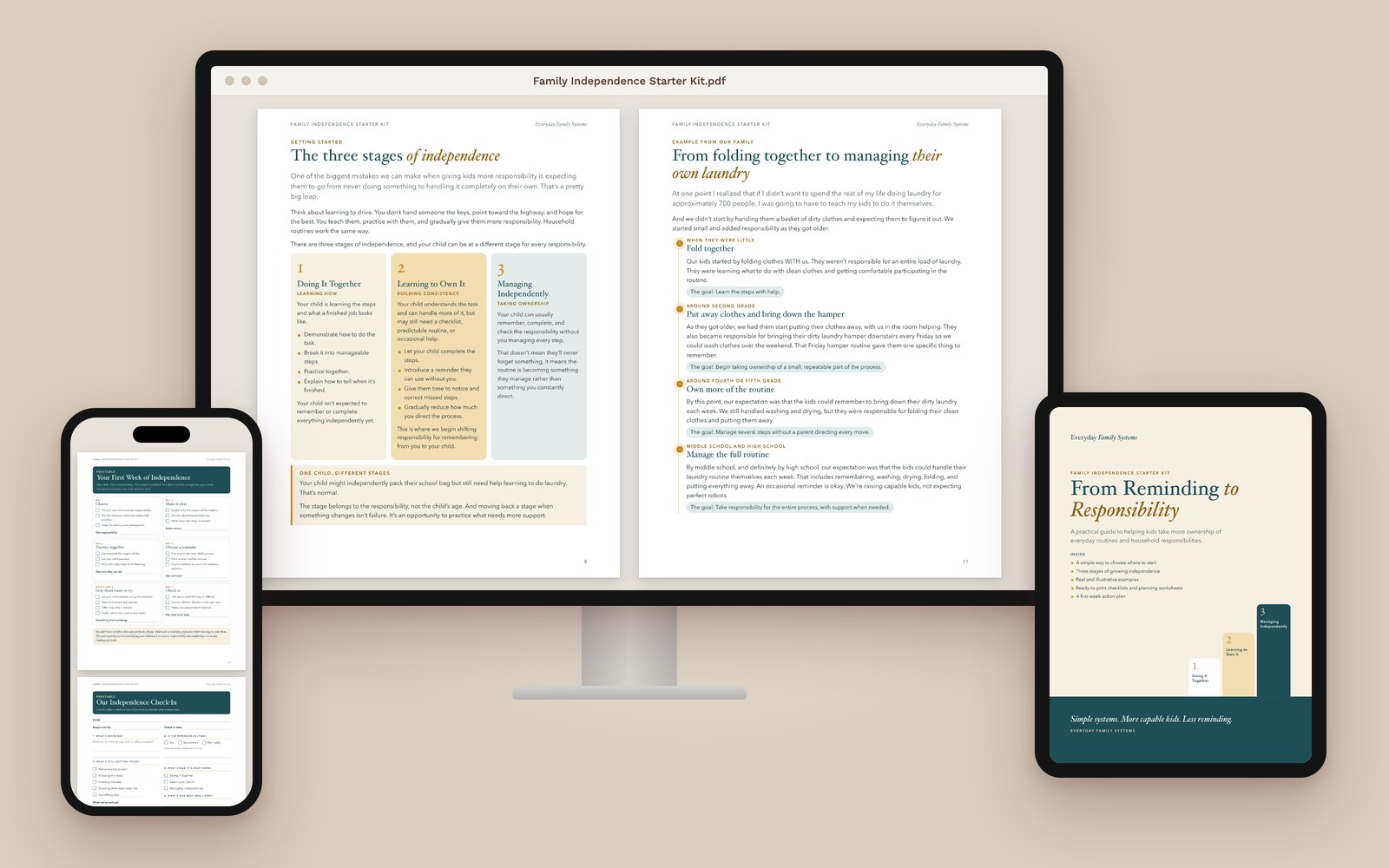
One day in ChatGPT: a business, a $19 first product, a January launch plan and a 29-page printable kit.
See the example →What this would cost elsewhere.
$300 to $5,000 or more
Business coaching and online courses can cost anywhere from $300 to $5,000 or more.
Business Brain Builder is $47 total.
Program prices from the programs' own pages (November 2026).
Is this for you?
This is for you if
- You want to start something but don't know what
- You have an idea and no plan
- You already sell something and want your next launch mapped out
- You have a few hours a week, not forty
Probably not for you if
- You want a done-for-you business
- You want someone to promise you income
- You don't have a paid Claude or ChatGPT plan

Meet Jaime
Hi, I'm Jaime. I'm a mom of four and I've run my own businesses for 20 years. I built Business Brain Builder because the planning part is where moms get stuck, and it's the part AI does well once it has your schedule and experience to work from.
Jaime